
Learning Vue, Part 3 - Building the Project
Third post in the series - build a gradient generator app following Vue concepts learned until now.
If you haven’t read the previous articles, I have a 3-part series about my journey to learning Vue.js. The purpose of this initiative is to learn just enough so that I’ll be able to build and deploy a simple app with Vue.js.
Read the previous posts here:
- https://lostcause.dev/blog/learning-vue-part-1-getting-started
- https://lostcause.dev/blog/learning-vue-part-2-expanding-my-knowledge
This is the last post in the series, and I’m describing the steps of building a working mini app and some technical considerations.
In case you want to skip reading the articles, here are some useful links for you:
- Github Repo: https://github.com/razvanmtn/gradient
- Deployed version: https://razvanmtn.github.io/gradient/
The project idea
I’m a developer and a content creator. Taking many screenshots led me to this idea: I need a small web app that helps me generate wallpapers and gradients. This is the perfect opportunity to put my Vue.js skills to the test.
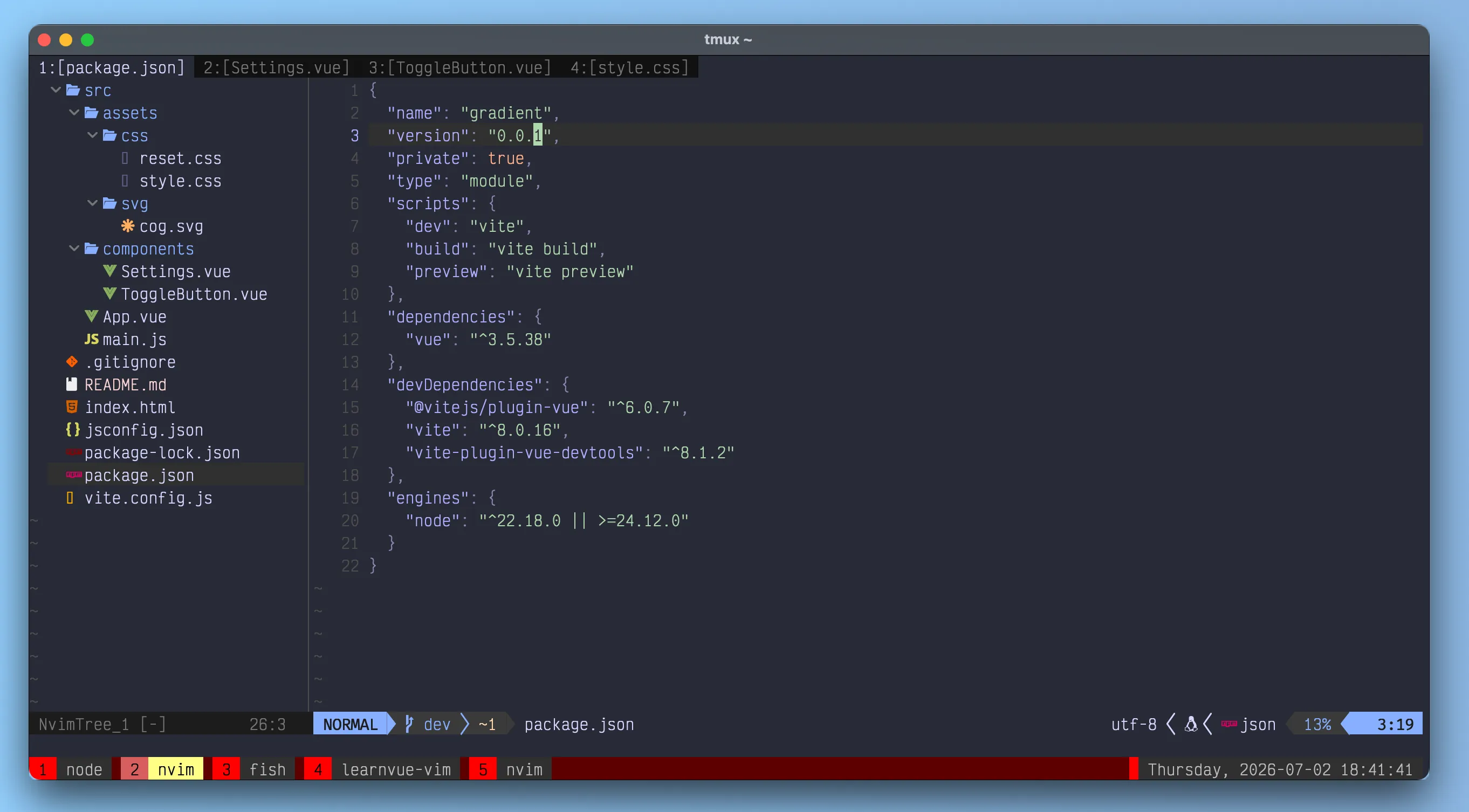
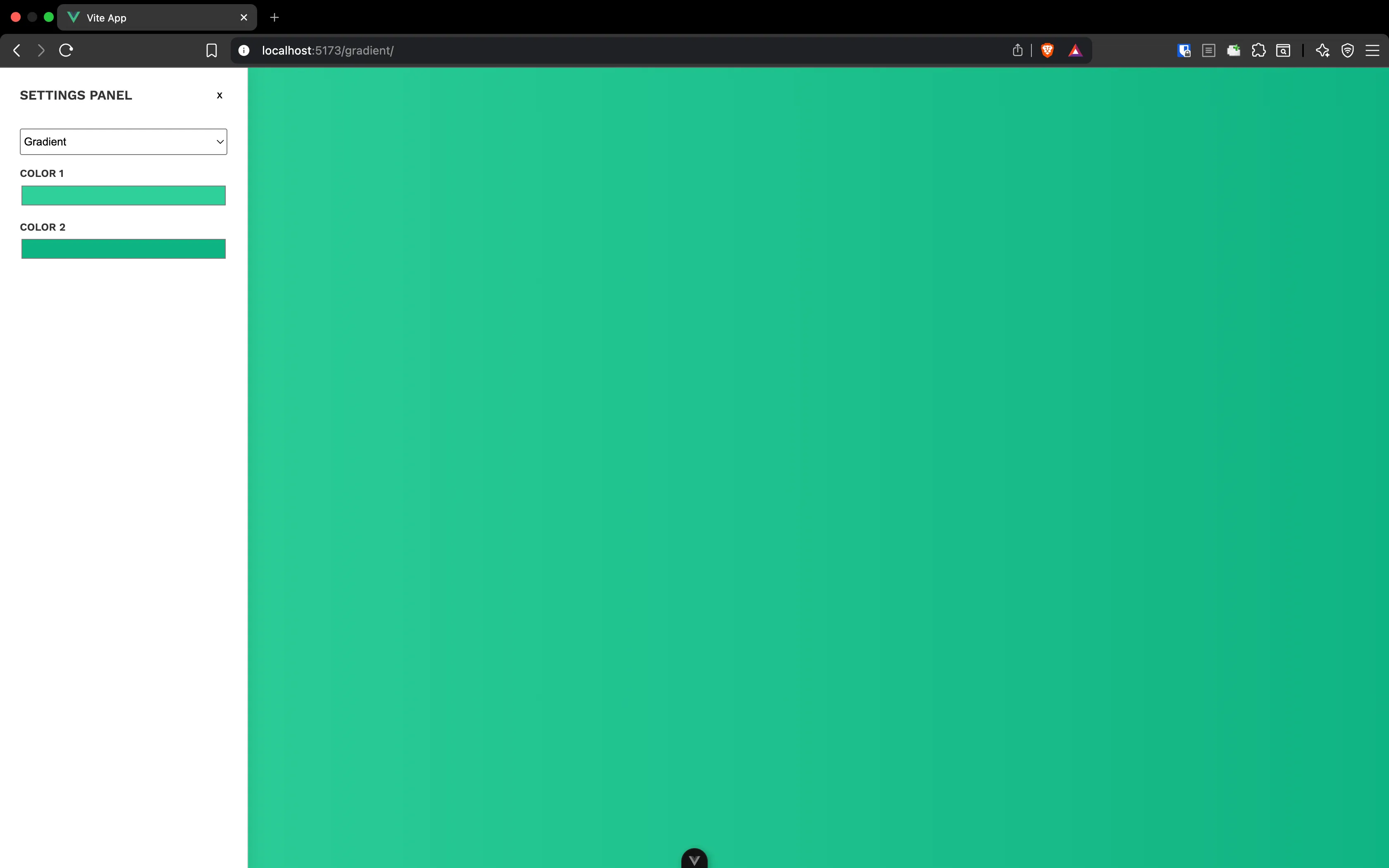
The purpose of the app: configuring a backdrop to make the process of taking screenshots way easier. The background should be either a solid color or a gradient, and render it across the whole width and height of the web app, so that whenever I want to take a screenshot of a window on my computer, I can place it on the gradient for a better look (see the screenshot below).
Components
I organized the whole app into 3 components:
App.vue
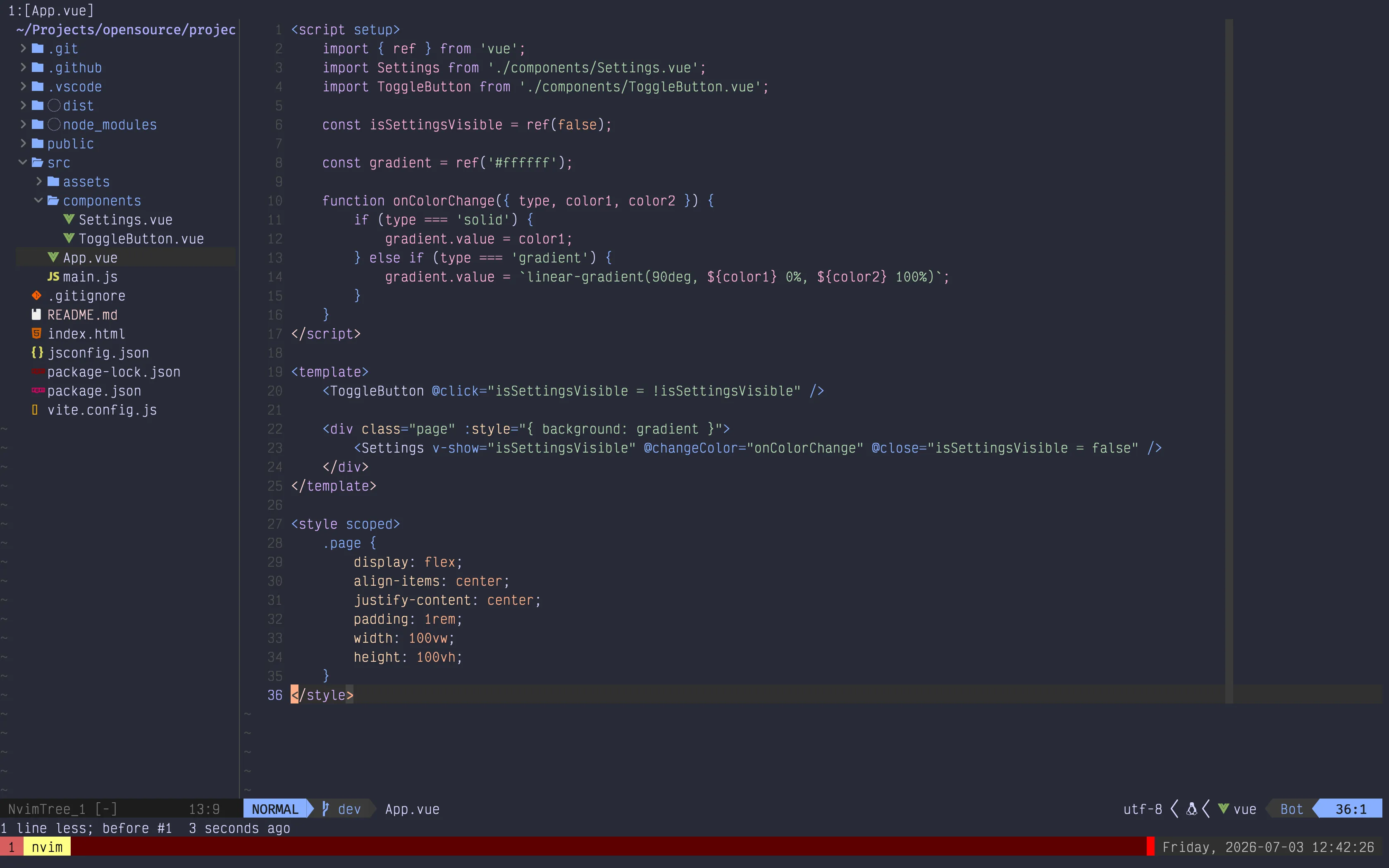
- this is the entry point
- whenever the properties in the settings popup change, the
onColorChangehandler gets called and it updates the background color of the whole page - toggling the settings popup is done by clicking on the
ToggleButton. When clicked, it changes theisSettingsVisibleflag, which shows or hides the popup - in order to persist the values of the Settings modal even after closing it, I’m using the
v-showdirective. The modal remains mounted in the DOM and gets hidden once the toggle button is clicked. The difference betweenv-showandv-ifis thatv-ifremoves the modal from the DOM completely. Anytime the component is remounted, it gets reinitialized: it’s a new component and does not persist the previous state.
ToggleButton.vue
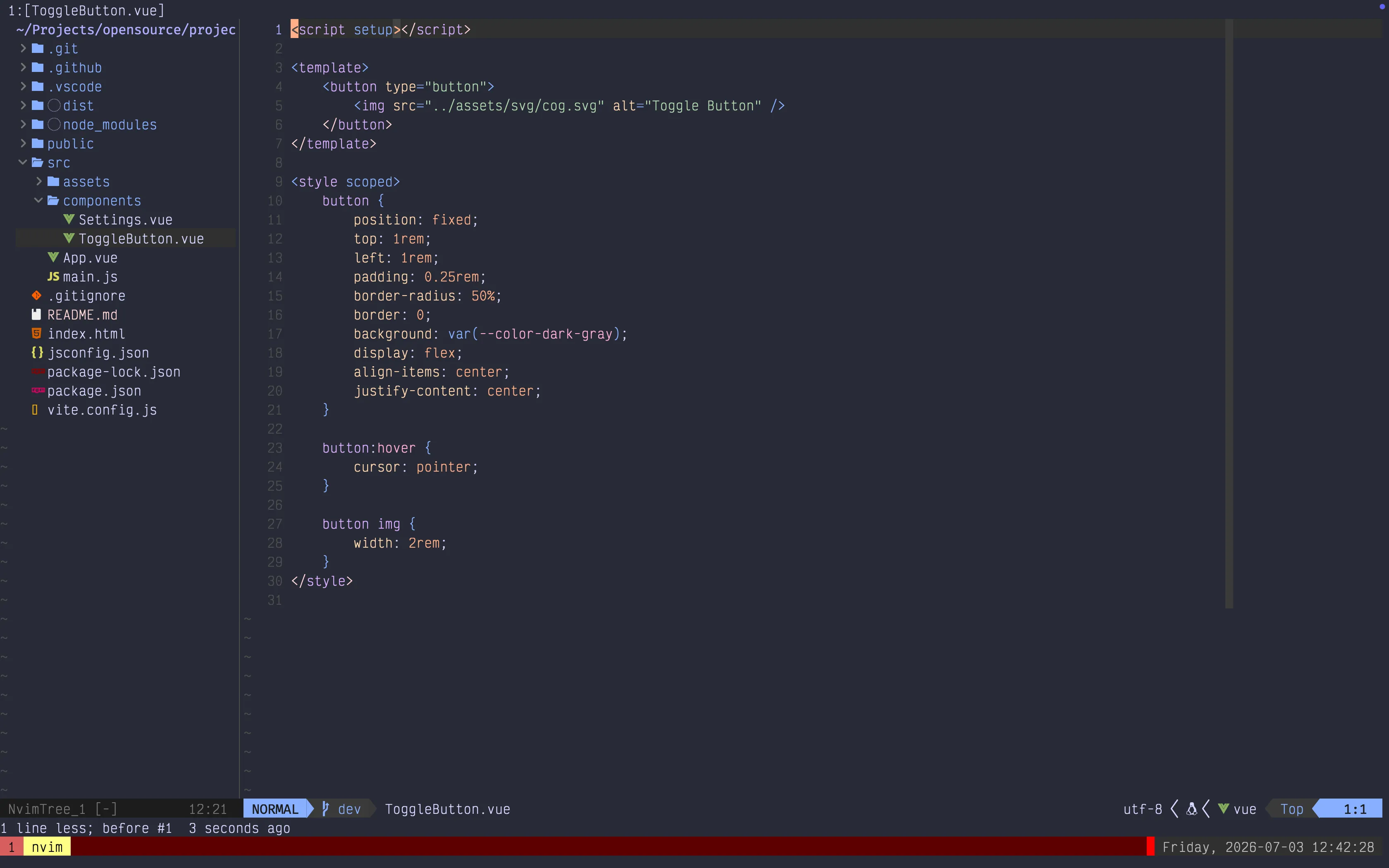
- this is a simple rounded icon button containing a cog SVG
- I want it fixed at the top left of the screen
- the click event is attached to the component itself, in
App.vuedirectly, not on the button
Settings.vue
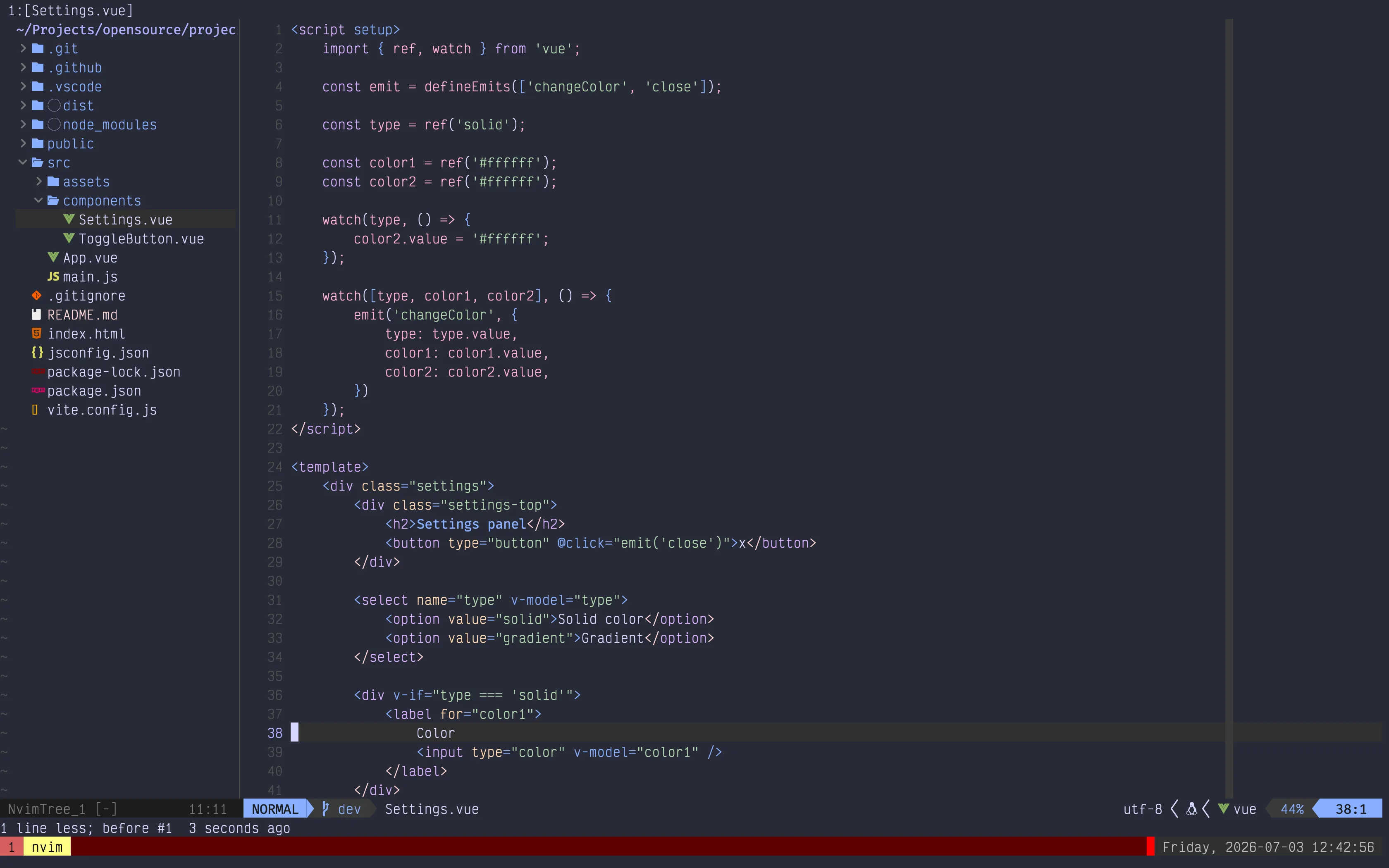
- this is the component responsible for background configuration
- there are 2 refs:
color1andcolor2. Based on the typesolidorgradient, these colors are rendered in the settings panel, and 1 or 2 color pickers appear - the watcher on line 15 is called whenever
type,color1, orcolor2values change. When any of the variables change, the parent component (in this caseApp.vue) is notified
Further improvements
These are some further improvements I consider:
- configuring gradient direction from the settings popup
- adding a custom color palette, with some common colors users might use besides the default color picker
If you followed along and enjoy the project, you can:
- fork the repository and add some more features
- raise a PR - I would be so glad to check it out
